
Training Evo
Control Posture in Real Time and Workouts with Motion Tracker
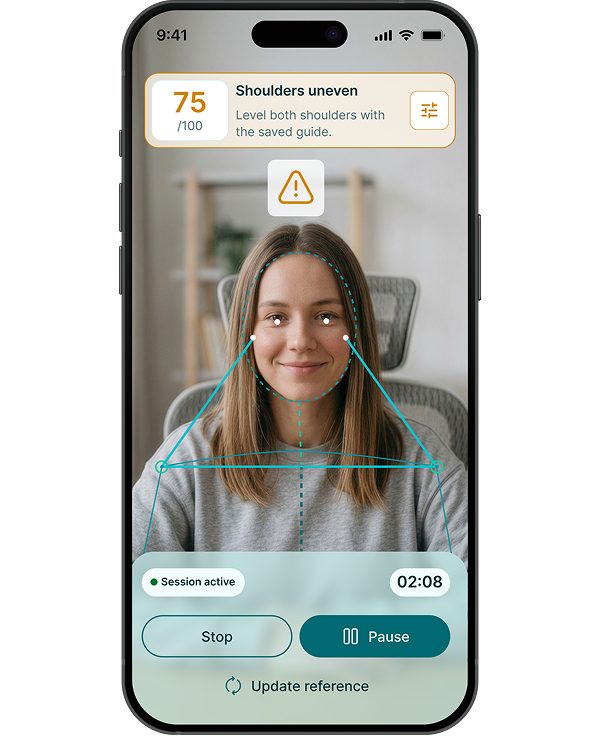
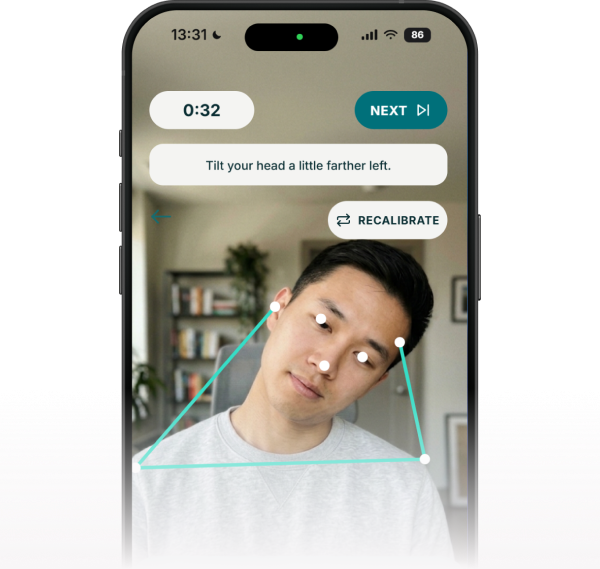
Training Evo is a mobile app that uses a motion tracker to monitor posture changes in real time and helps you perform neck and shoulder exercises correctly.


Features
-
Start a session. Grant access to the camera and place your phone in a convenient spot. The app will automatically detect markers for head tilt and shoulder level. Select the time at which you're ready to begin your posture training. Upon completion, the app will display how long you sat up straight.
-
A set of exercises is available. The first preset is available for free. You can try out how the presets work. With a one-time purchase, you'll get full access to all exercise presets. Users can also create their own exercise routines.
-
Currently, there are 11 exercises available for the neck and shoulders. Users can perform exercises while sitting—for example, if they can't warm up at the office—or while standing, if they're working from home.
-
Do your exercises, build healthy habits, and track your progress! Set reminders so you don't forget your daily workout times!
Who is Training Evo for?
Training Evo is designed for anyone who wants to improve their posture and reduce discomfort in the lower back and neck.
-
Children
Maintaining good posture from childhood lays the foundation for a strong core and a healthy back in adulthood. Habits formed in childhood are most likely to carry over into adulthood. Have your children use the app while they're doing homework or taking online classes. These can be short sessions that, over time, will help build good habits.
-
Adults
Whether working in an office or from home, sitting at a desk for long periods often causes lower back pain in young people. Doing exercises and a 5-minute warm-up at least once a day will already have a positive effect on your back and neck muscles.


How to Use Training Evo
-
01
Launch the app and grant access to the front-facing camera
-
02
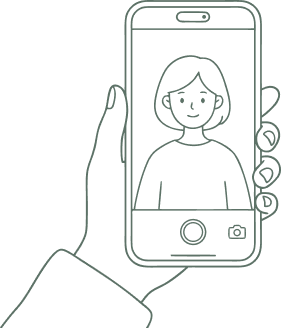
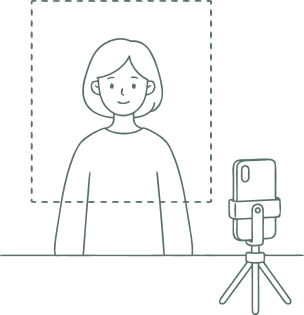
Place your phone so that the camera captures your head and slightly below your shoulders
-
03
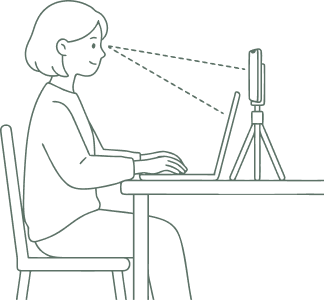
Place your phone closer to the screen of your laptop or computer, or directly in front of you
Keep your muscles toned for good posture and to reduce back discomfort
The Training Evo app currently offers basic exercises and solutions, and will continue to evolve to help users perform exercises correctly.
The app is available on the App Store and Google Play, and purchasing PRO access grants full access to all exercises.
Everything you need to know about Training Evo
-
No. The app is not intended to diagnose, treat, cure, or prevent any medical conditions. Its purpose is to help users develop healthy habits.
-
Before using the Training Evo app if you have scoliosis or other musculoskeletal conditions or disorders, we recommend consulting your doctor or a specialist in the field.
-
The app has no strict age restrictions. It's best to start developing healthy habits and proper posture at an early age. However, you should approach this responsibly: if you have any doubts or notice a decline in your well-being, be sure to consult a doctor.